
Time Required: 60 minutes
Class Materials:
- Oracle 11gR2 Grid Infrastructure software for Windows
Next we are going to install the Oracle Grid Infrastructure software.
The Grid Infrastructure will provide the Cluster software that allows the RAC nodes to communicate, as well as the ASM software to manage the shared disks.
To begin, download the zip file from the Oracle software download website and unzip on Rodolfo.
There is one zip file for 11gR2 11.2.0.3 Windows 64-bit called p10404530_112030_MSWIN-x86-64_3of7.zip. This is available from MOS under patch number 1040530.
Having unzipped it, we should have a directory called grid.
Log in to Windows as the oracle user. Start a command prompt session as Administrator by right-clicking on the Command Prompt icon and selecting Run as Administrator.
Navigate to the grid install directory and there is a file called runcluvfy.bat. This script check to see if the cluster is ready for RAC install. Run the script as follows:
runcluvfy stage -pre crsinst -n rodolfo,mimi -verbose
I have included the complete script output from my Windows cluster so you can see the expected output:
E:\windows\11.2.0.3\grid>runcluvfy stage -pre crsinst -n rodolfo,mimi -verbose

Performing pre-checks for cluster services setup

Checking node reachability...

Check: Node reachability from node "RODOLFO"
  Destination Node                      Reachable?
  ------------------------------------  ------------------------
  mimi                                  yes
  rodolfo                               yes
Result: Node reachability check passed from node "RODOLFO"

Checking user equivalence...

Check: User equivalence for user "oracle"
  Node Name                             Status
  ------------------------------------  ------------------------
  mimi                                  passed
  rodolfo                               passed
Result: User equivalence check passed for user "oracle"

Checking node connectivity...

Interface information for node "mimi"
 Name                  IP Address      Subnet          Gateway         Def. Gateway    HW Address        MTU
 ------                --------------- --------------- --------------- --------------- ----------------- ------
 Public                10.10.1.40      10.10.1.0       On-link         UNKNOWN         00:0C:2A:84:F3:90 1500
 Private               10.10.2.40      10.10.2.0       On-link         UNKNOWN         00:0C:93:84:F3:86 1500
 Local Area Connection 192.168.204.131 192.168.204.0   On-link         UNKNOWN         00:0C:29:84:F3:7C 1500


Interface information for node "rodolfo"
 Name                  IP Address      Subnet          Gateway         Def. Gateway    HW Address        MTU
 ------                --------------- --------------- --------------- --------------- ----------------- ------
 Public                10.10.1.30      10.10.1.0       On-link         UNKNOWN         00:0C:2A:6C:D7:AB 1500
 Private               10.10.2.30      10.10.2.0       On-link         UNKNOWN         00:0C:93:6C:D7:A1 1500
 Local Area Connection 192.168.204.130 192.168.204.0   On-link         UNKNOWN         00:0C:29:6C:D7:97 1500


Check: Node connectivity of subnet "10.10.1.0"
  Source                          Destination                     Connected?

  ------------------------------  ------------------------------  ---------------
  mimi[10.10.1.40]                rodolfo[10.10.1.30]             yes

Result: Node connectivity passed for subnet "10.10.1.0" with node(s) mimi,rodolo


Check: TCP connectivity of subnet "10.10.1.0"
  Source                          Destination                     Connected?

  ------------------------------  ------------------------------  ---------------
  RODOLFO:10.10.1.30              mimi:10.10.1.40                 passed
  RODOLFO:10.10.1.30              rodolfo:10.10.1.30              passed

Result: TCP connectivity check passed for subnet "10.10.1.0"


Check: Node connectivity of subnet "10.10.2.0"
  Source                          Destination                     Connected?

  ------------------------------  ------------------------------  ---------------
  mimi[10.10.2.40]                rodolfo[10.10.2.30]             yes

Result: Node connectivity passed for subnet "10.10.2.0" with node(s) mimi,rodolo


Check: TCP connectivity of subnet "10.10.2.0"
  Source                          Destination                     Connected?

  ------------------------------  ------------------------------  ---------------
  RODOLFO:10.10.2.30              mimi:10.10.2.40                 passed
  RODOLFO:10.10.2.30              rodolfo:10.10.2.30              passed

Result: TCP connectivity check passed for subnet "10.10.2.0"


Check: Node connectivity of subnet "192.168.204.0"
  Source                          Destination                     Connected?

  ------------------------------  ------------------------------  ---------------
  mimi[192.168.204.131]           rodolfo[192.168.204.130]        yes

Result: Node connectivity passed for subnet "192.168.204.0" with node(s) mimi,rdolfo


Check: TCP connectivity of subnet "192.168.204.0"
  Source                          Destination                     Connected?

  ------------------------------  ------------------------------  ---------------
  RODOLFO:192.168.204.130         mimi:192.168.204.131            passed
  RODOLFO:192.168.204.130         rodolfo:192.168.204.130         passed

Result: TCP connectivity check passed for subnet "192.168.204.0"


Interfaces found on subnet "10.10.1.0" that are likely candidates for a private
interconnect are:
mimi Public:10.10.1.40
rodolfo Public:10.10.1.30

Interfaces found on subnet "10.10.2.0" that are likely candidates for a private interconnect are:
mimi Private:10.10.2.40
rodolfo Private:10.10.2.30

Interfaces found on subnet "192.168.204.0" that are likely candidates for a priate interconnect are:
mimi Local Area Connection:192.168.204.131
rodolfo Local Area Connection:192.168.204.130

WARNING:
Could not find a suitable set of interfaces for VIPs
Checking subnet mask consistency...
Subnet mask consistency check passed for subnet "10.10.1.0".
Subnet mask consistency check passed for subnet "10.10.2.0".
Subnet mask consistency check passed for subnet "192.168.204.0".
Subnet mask consistency check passed.

Result: Node connectivity check passed

Checking multicast communication...

Checking subnet "10.10.1.0" for multicast communication with multicast group "20.0.1.0"...
Check of subnet "10.10.1.0" for multicast communication with multicast group "20.0.1.0" passed.

Checking subnet "10.10.2.0" for multicast communication with multicast group "20.0.1.0"...
Check of subnet "10.10.2.0" for multicast communication with multicast group "20.0.1.0" passed.

Checking subnet "192.168.204.0" for multicast communication with multicast group "230.0.1.0"...
Check of subnet "192.168.204.0" for multicast communication with multicast group "230.0.1.0" passed.

Check of multicast communication passed.

Checking the status of Windows firewall
  Node Name     Enabled?                  Comment
  ------------  ------------------------  ------------------------
  mimi          no                        passed
  rodolfo       no                        passed
Result: Windows firewall verification check passed

Check: Total memory
  Node Name     Available                 Required                  Status
  ------------  ------------------------  ------------------------  ----------
  mimi          2.9995GB (3145208.0KB)    922MB (944128.0KB)        passed
  rodolfo       2.9995GB (3145208.0KB)    922MB (944128.0KB)        passed
Result: Total memory check passed

Check: Available memory
  Node Name     Available                 Required                  Status
  ------------  ------------------------  ------------------------  ----------
  mimi          2.5102GB (2632160.0KB)    50MB (51200.0KB)          passed
  rodolfo       2.4308GB (2548924.0KB)    50MB (51200.0KB)          passed
Result: Available memory check passed

Check: Swap space
  Node Name     Available                 Required                  Status
  ------------  ------------------------  ------------------------  ----------
  mimi          5.9972GB (6288572.0KB)    2.9995GB (3145208.0KB)    passed
  rodolfo       5.9972GB (6288572.0KB)    2.9995GB (3145208.0KB)    passed
Result: Swap space check passed

Check: Free disk space for "mimi:C:\Windows\temp"
  Path              Node Name     Mount point   Available     Required      Staus
  ----------------  ------------  ------------  ------------  ------------  -----------
  C:\Windows\temp   mimi          C             30.1868GB     1GB           pased
Result: Free disk space check passed for "mimi:C:\Windows\temp"

Check: Free disk space for "rodolfo:C:\Windows\temp"
  Path              Node Name     Mount point   Available     Required      Staus
  ----------------  ------------  ------------  ------------  ------------  -----------
  C:\Windows\temp   rodolfo       C             29.9761GB     1GB           pased
Result: Free disk space check passed for "rodolfo:C:\Windows\temp"

Check: System architecture
  Node Name     Available                 Required                  Status
  ------------  ------------------------  ------------------------  ----------
  mimi          64-bit                    64-bit                    passed
  rodolfo       64-bit                    64-bit                    passed
Result: System architecture check passed

Checking length of value of environment variable "PATH"
Check: Length of value of environment variable "PATH"
  Node Name         Set?          Maximum Length  Actual Length  Comment

  ----------------  ------------  ------------  ------------  ----------------
  mimi              yes           5119          100           passed
  rodolfo           yes           5119          130           passed
Result: Check for length of value of environment variable "PATH" passed.

Checking for Media Sensing status of TCP/IP
  Node Name     Enabled?                  Comment
  ------------  ------------------------  ------------------------
  mimi          no                        passed
  rodolfo       no                        passed
Result: Media Sensing status of TCP/IP check passed

Starting Clock synchronization checks using Network Time Protocol(NTP)...
No NTP Daemons or Services were found to be running

Result: Clock synchronization check using Network Time Protocol(NTP) passed

Checking if current user is a domain user...
Check: If user "oracle" is a domain user

WARNING:
User "oracle" could not be verified as a domain user, domain "RODOLFO" is eithe
 an invalid domain or can not be contacted
Check: Time zone consistency
Result: Time zone consistency check passed

Checking for status of Automount feature
  Node Name     Enabled?                  Comment
  ------------  ------------------------  ------------------------
  mimi          yes                       passed
  rodolfo       yes                       passed
Result: Check for status of Automount feature passed

Pre-check for cluster services setup was successful.

E:\windows\11.2.0.3\grid>
The cluster has passed the checks, so we are ready to install 11.2.0.3 Grid Infrastructure. Type setup to launch the Oracle installer.
At the first screen, select Skip software updates.
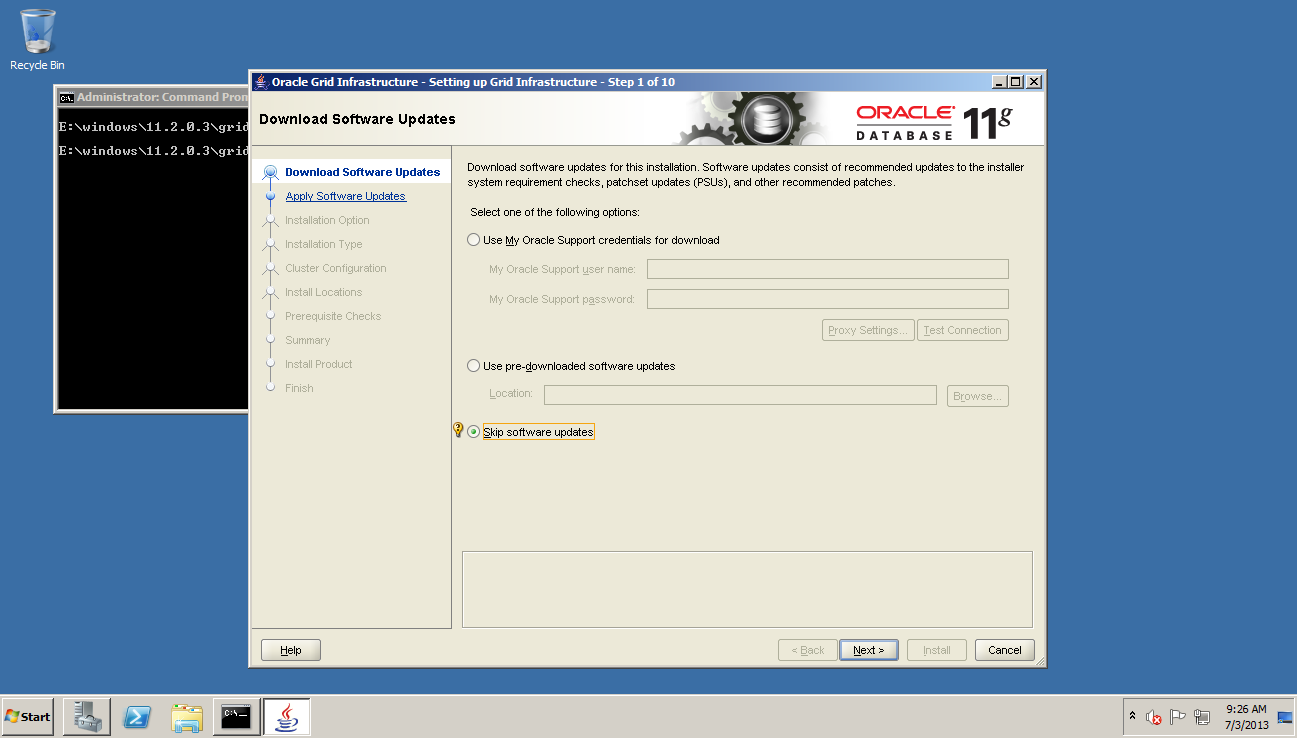
We are going to select the first option; Install and Configure Grid Infrastructure for a Cluster
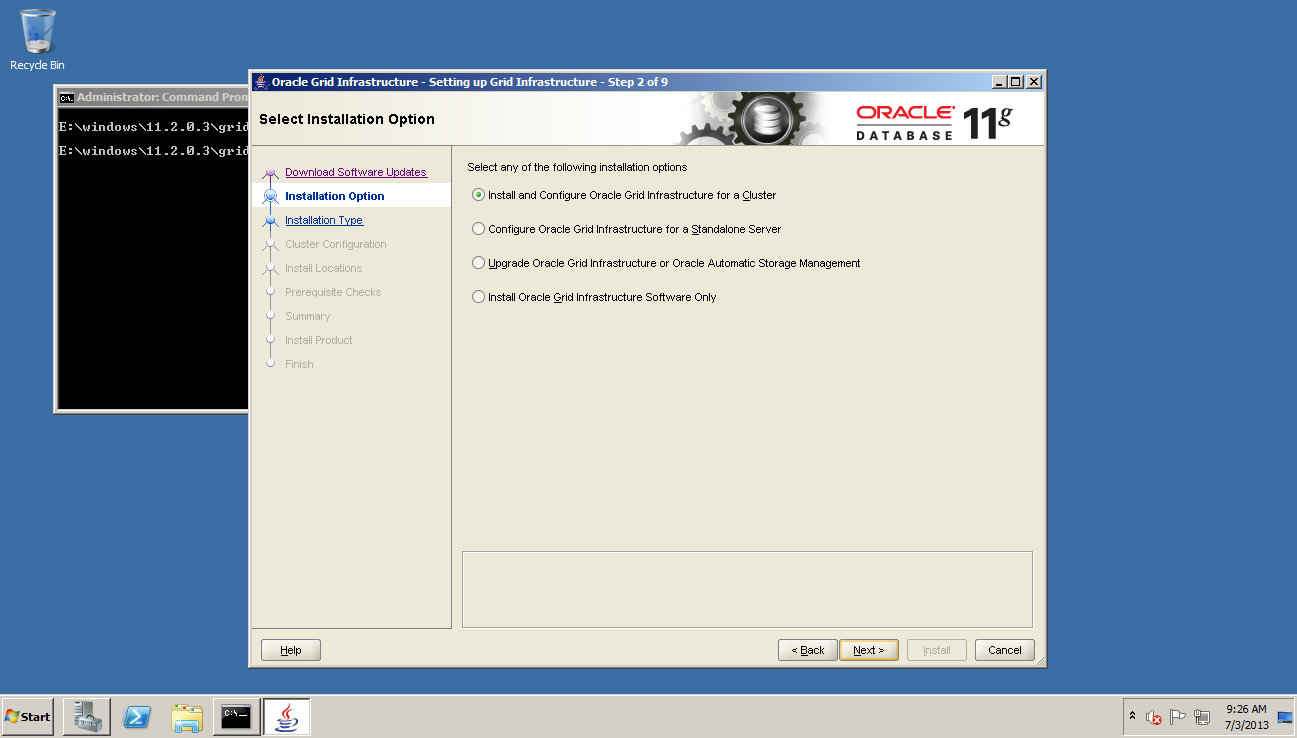
On the next screen we select Advanced Installation
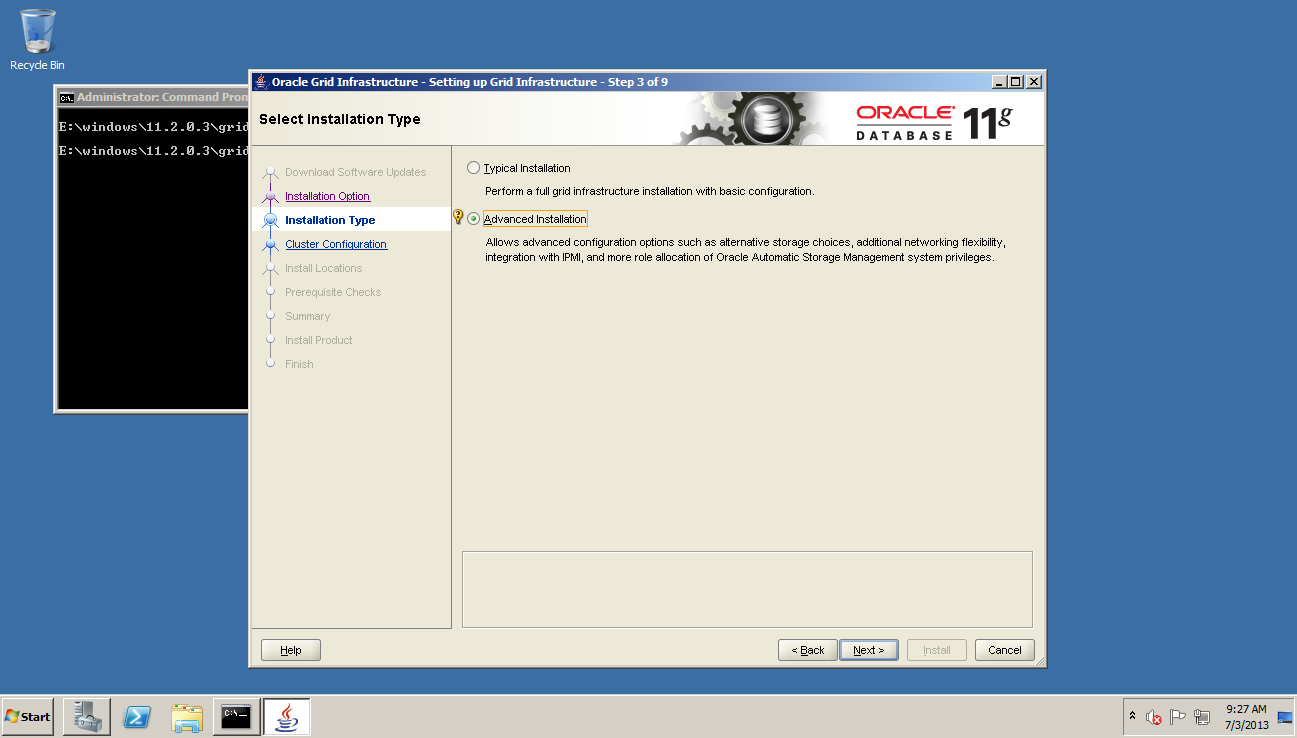
On the next screen we select the languages to install. I am happy with just English.

On the next screen we unselect Configure GNS and then define our cluster name and SCAN port number. I am going to call my cluster laboheme with a SCAN name of laboheme-scan.hadesnet. This matches the SCAN definition we added to our DNS server back in Part V.

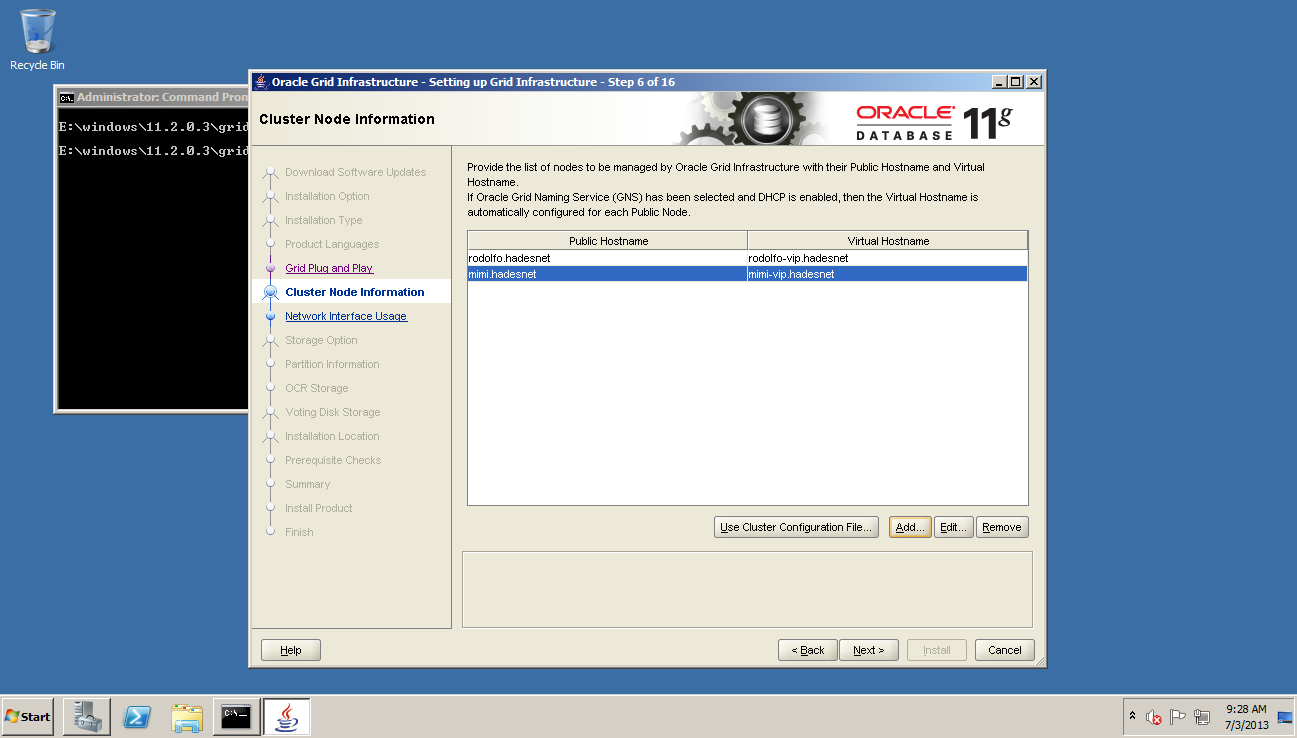
On the next screen we define our cluster nodes. Rodolfo is added automatically but we need to add Mimi manually by selecting Add and then defining the addresses mimi.hadesnet and mimi-vip.hadesnet. Again these should match the addresses we added to the hosts file back in Part V.
On the next screen we define the ethernet networks to use for our cluster traffic. Since we named these Public and Private earlier, the installer should default to the correct setting.

On the next screen we choose Automatic Storage Management (ASM)

On the next screen we initially see no disks listed. Select the Stamp Disk option to bring up the asmtool.
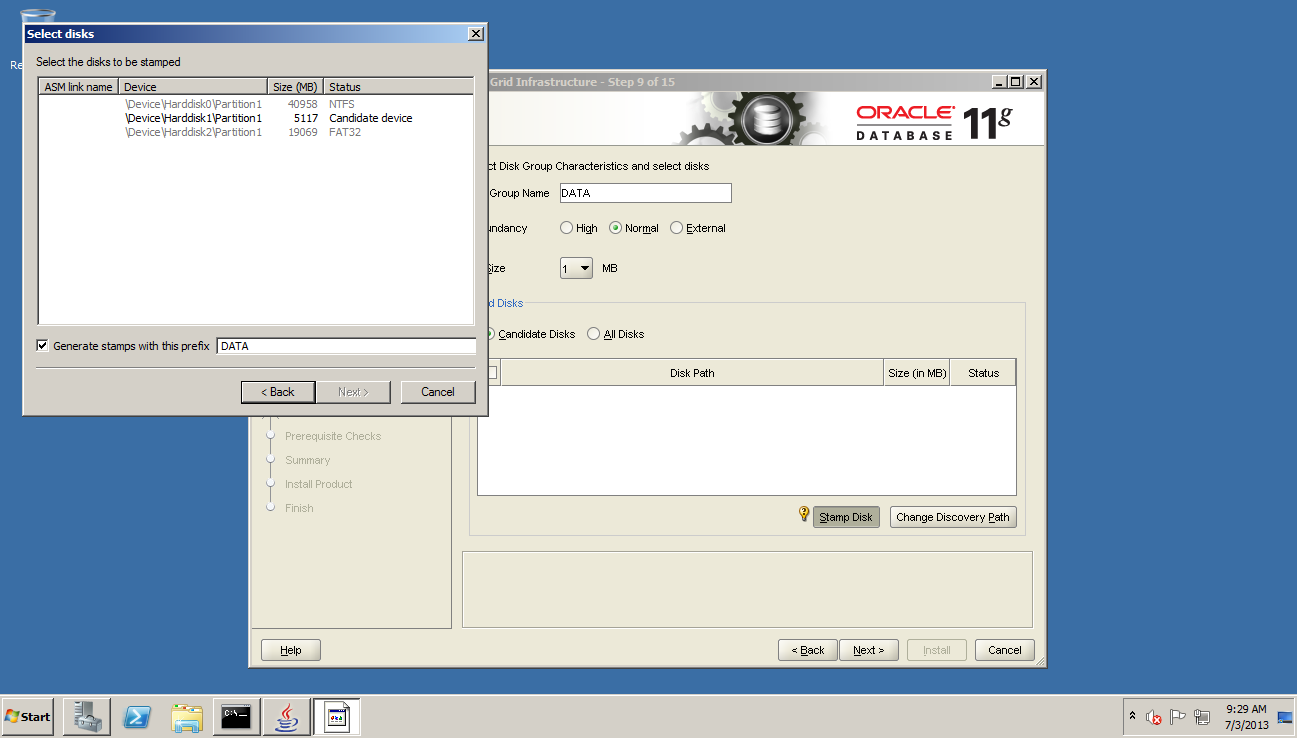
Using the ASM tool, stamp the disk \Device\Harddisk1\Partition1 with the prefix DATA. Then click Finish.
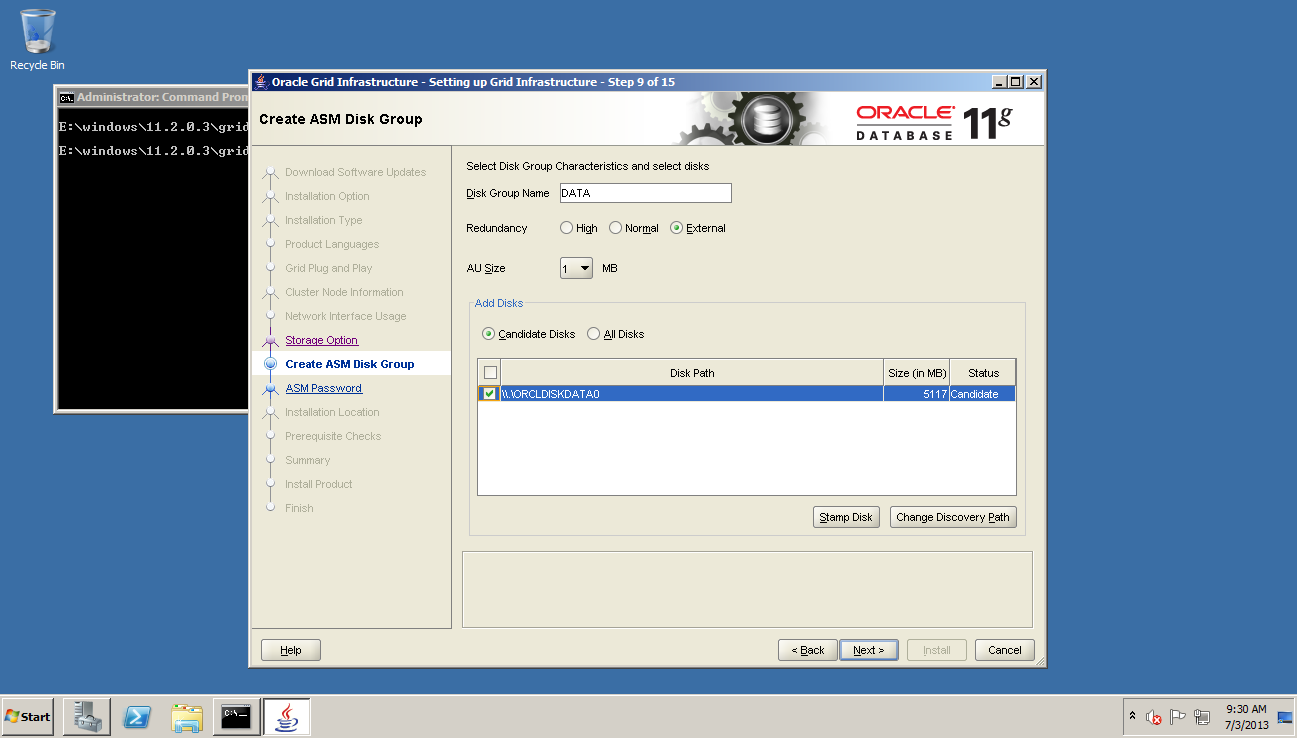
We should now see the 5MB shared disk listed as a candidate disk. Set the Redundancy to External and highlight the candidate disk. Click Next
On the next screen check Use same passwords for these accounts. Since this is a demo I usually set these to something very simple like oracle. But make a note of this password as you will need it in the next part.

The installer warns us that our password choice is not very secure. That’s okay, I don’t forsee anyone really trying to hack into this RAC cluster.
On the next screen select Do not use Intelligent Platform Management Interface (IPMI).

On the next screen we choose where to install the Oracle Base and the Grid software.

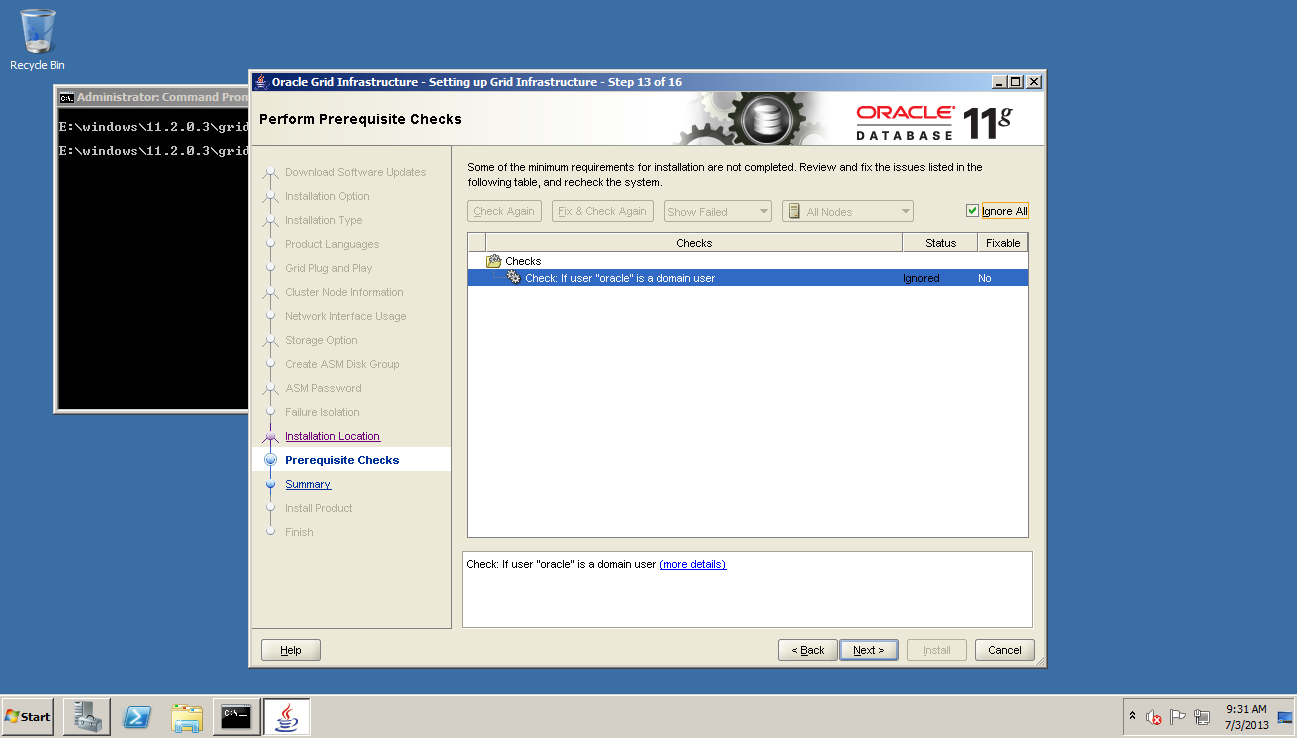
On the next screen the installer warns us that the “oracle” user is not a domain account. If this is the only issue, click the Ignore All button. Otherwise address the errors the installer reports.
If you have followed these steps carefully the domain user error should be the only one.
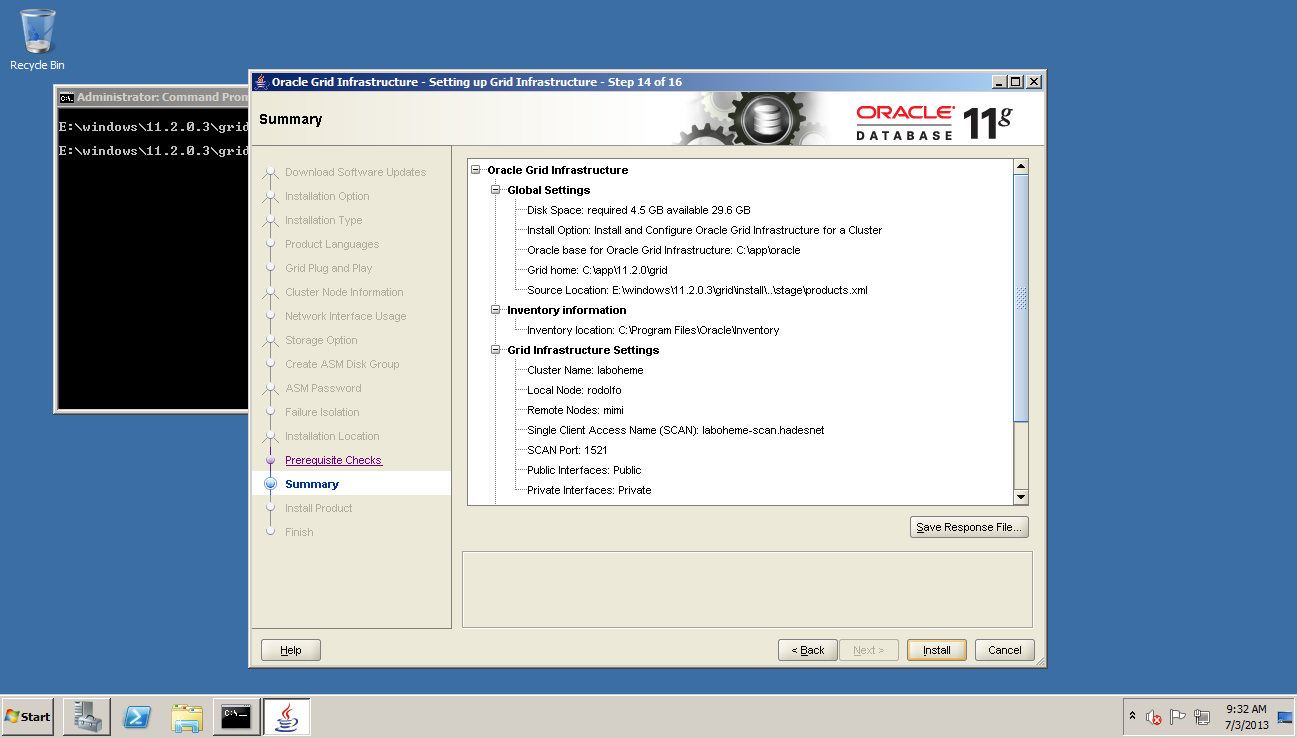
On the next screen we can verify that we have defined everything correctly. If everything looks good then press Install
The install process can take a while to complete. On my VM RAC it will take at least thirty minutes to complete.

If the installation completes successfully you should see a screen as follows:

The Grid install is now complete.
| Article Quick Navigation | ||
|---|---|---|
| Previous Step | Main Index | Next Step |
 the gruffdba
Reblogged this on Sutoprise Avenue, A SutoCom Source.
Hello ,
When I add the rac2 name in the cluster nodes information , it gives me the error INS-40937
I checked Metalink, they say that you should specify the correct hostname , which I am doing.
Thanks for your help